Display Options
Every option on this page is remembered between visits.
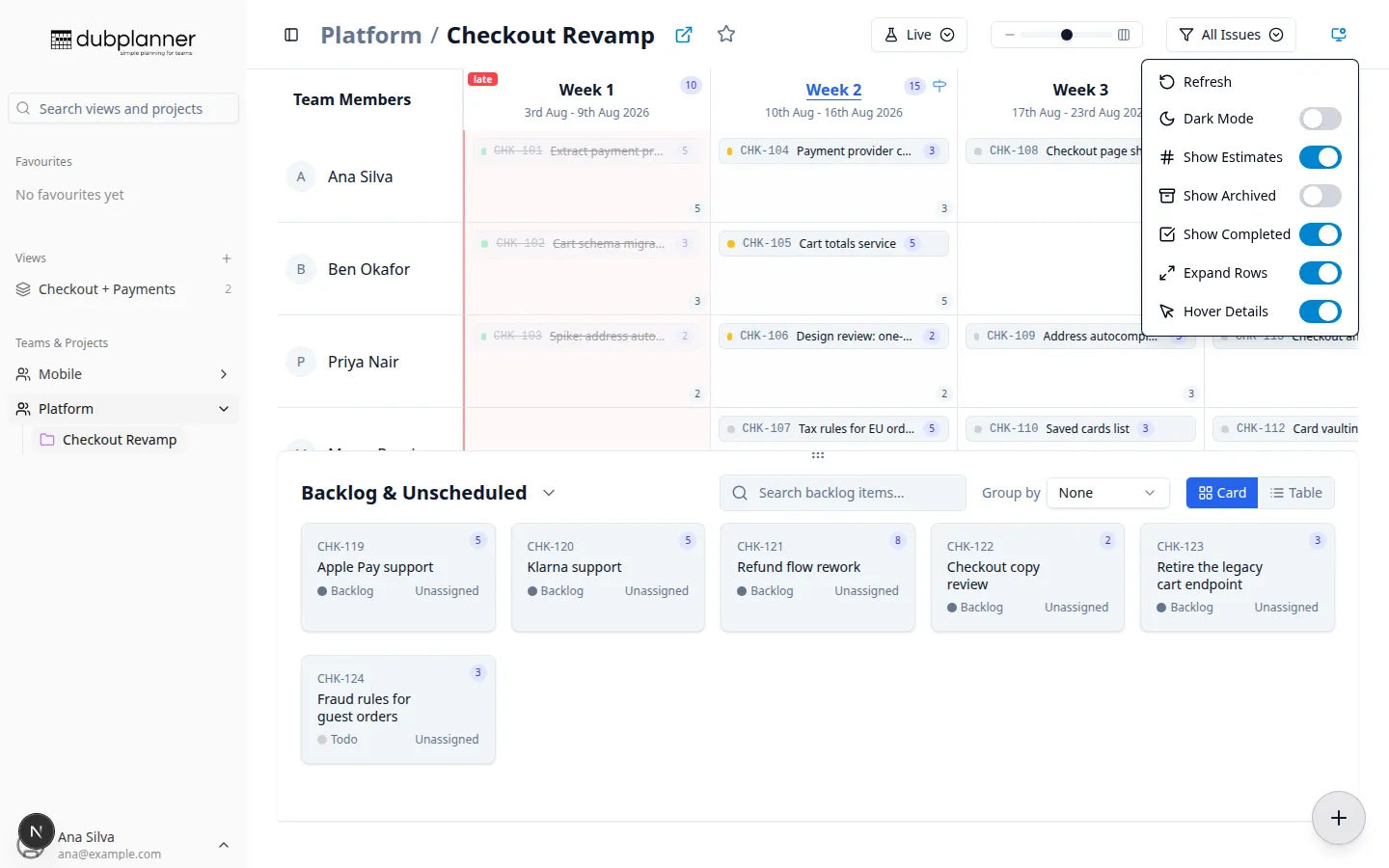
Display density
Section titled “Display density”A single slider in the header sets how much of each ticket you see, from five presets:
| Setting | What a ticket looks like |
|---|---|
| Chip | A tiny coloured chip with just the identifier |
| Compact | A small row: status dot, identifier, truncated title |
| Normal | Title and the key details — the default |
| Card | A square card with identifier, title, status and assignee |
| Large Card | A large card with full details |
Smaller settings fit more weeks and people on screen; larger ones are easier to read in a meeting.
The Display options menu
Section titled “The Display options menu”Open it with the monitor icon in the header.
| Option | Effect |
|---|---|
| Refresh | Reload the plan from the issue tracker |
| Dark Mode | Switch themes |
| Show Estimates | Show estimates on cards, plus cell and week totals |
| Show Archived | Include archived issues on the board |
| Show Completed | Include completed and done issues |
| Expand Rows | Make every row tall enough to show all its tickets, instead of scrolling inside cells |
| Hover Details | Turn the hover popup on or off |
Completed work that is shown is drawn at reduced opacity, so it never competes with active work.
Issue view filter
Section titled “Issue view filter”Separate from the menu, the filter button chooses which issues are eligible for the board at all:
- All Issues — everything, parents and sub-issues
- Issues Only — parents only (issues with no parent of their own)
- Sub-Issues Only — only issues that have a parent
- Leaf Issues — issues with no sub-issues
Estimates
Section titled “Estimates”When Show Estimates is on:
- each card shows its estimate
- teams estimating numerically get cell totals and week totals
- teams using T-shirt sizes see
XS,S,M,L,XLrather than the numbers behind them