Backlog & Unscheduled
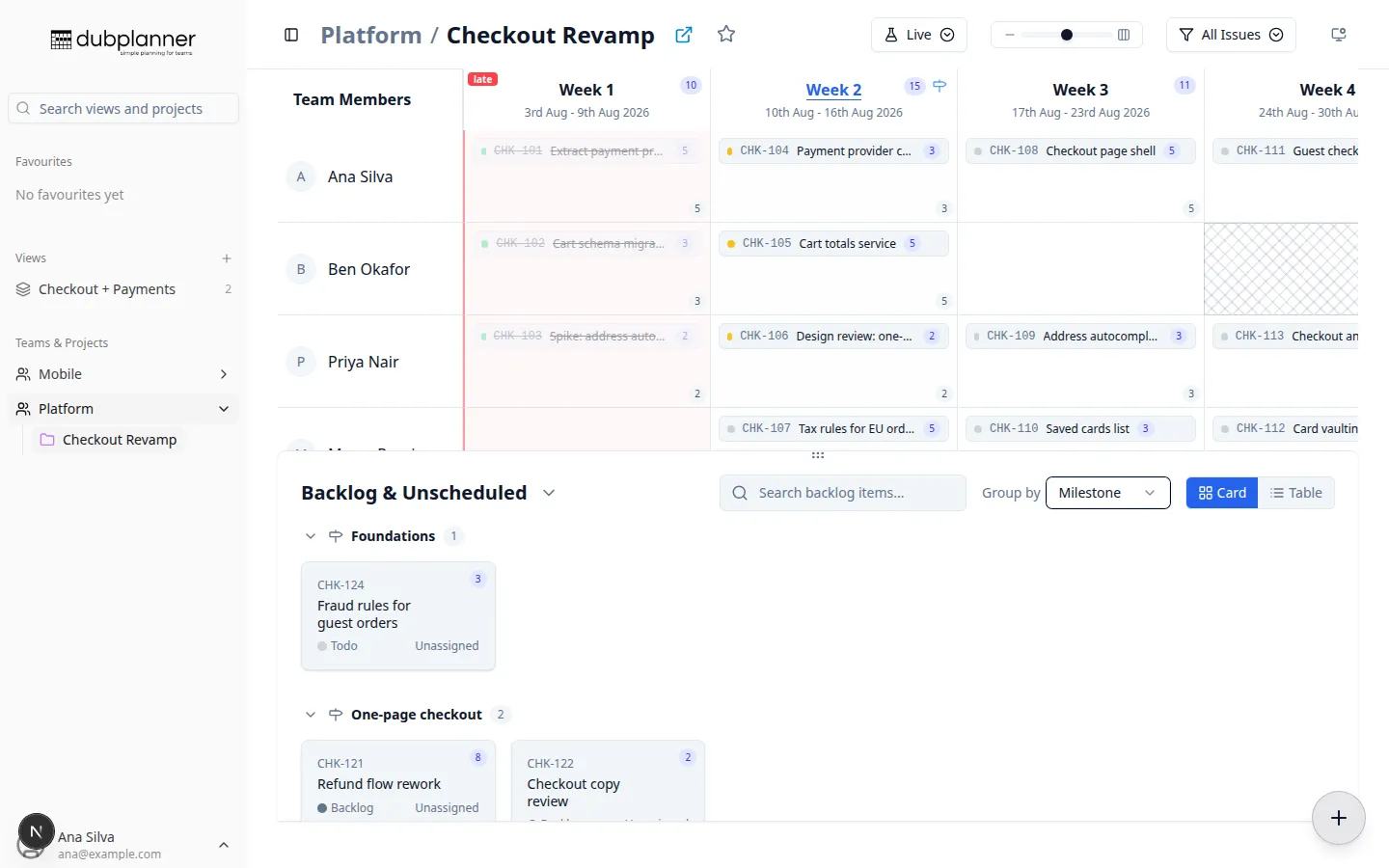
Everything with no week — and anything unassigned — lives in Backlog & Unscheduled, under the grid. It is where new work lands and where you pick from when filling a week.
Getting work out of it
Section titled “Getting work out of it”Drag an issue from the backlog onto a cell in the grid. That sets the assignee and the week in one gesture, and DubPlanner writes both back to Linear.
Dragging the other way — from the grid into the backlog — takes the week off an issue and returns it to the pile.
Finding things
Section titled “Finding things”- Search — the box at the top of the backlog filters by identifier and title
- Group by — None, Milestone, Status, or Project (in a Custom View). Your choice is remembered between visits.
- Card or Table — cards are easier to scan and drag; the table fits far more on screen. Clicking a row in table view opens the ticket detail panel.
Collapsing groups
Section titled “Collapsing groups”Each group has a chevron to fold it away, and collapsed groups keep showing their item count — so a backlog of two hundred issues can be reduced to the one milestone you are actually planning.
When grouped by milestone, clicking a group header opens that milestone’s detail panel, and the backlog scrolls to keep the focused milestone in view as you step through them.
Resizing
Section titled “Resizing”Drag the handle between the grid and the backlog to give either one more room.